RWA: Waitlist Flow (Restocks) update: simpler pricing, richer signup forms, and a 7-day trial on every plan
TL;DR
We refreshed RWA: Waitlist Flow (Restocks) pricing around three flat monthly plans with a 7-day free trial, removed usage charges, and shipped custom join-form fields so merchants can capture the details that actually matter for drops, events, and high-intent waitlists.
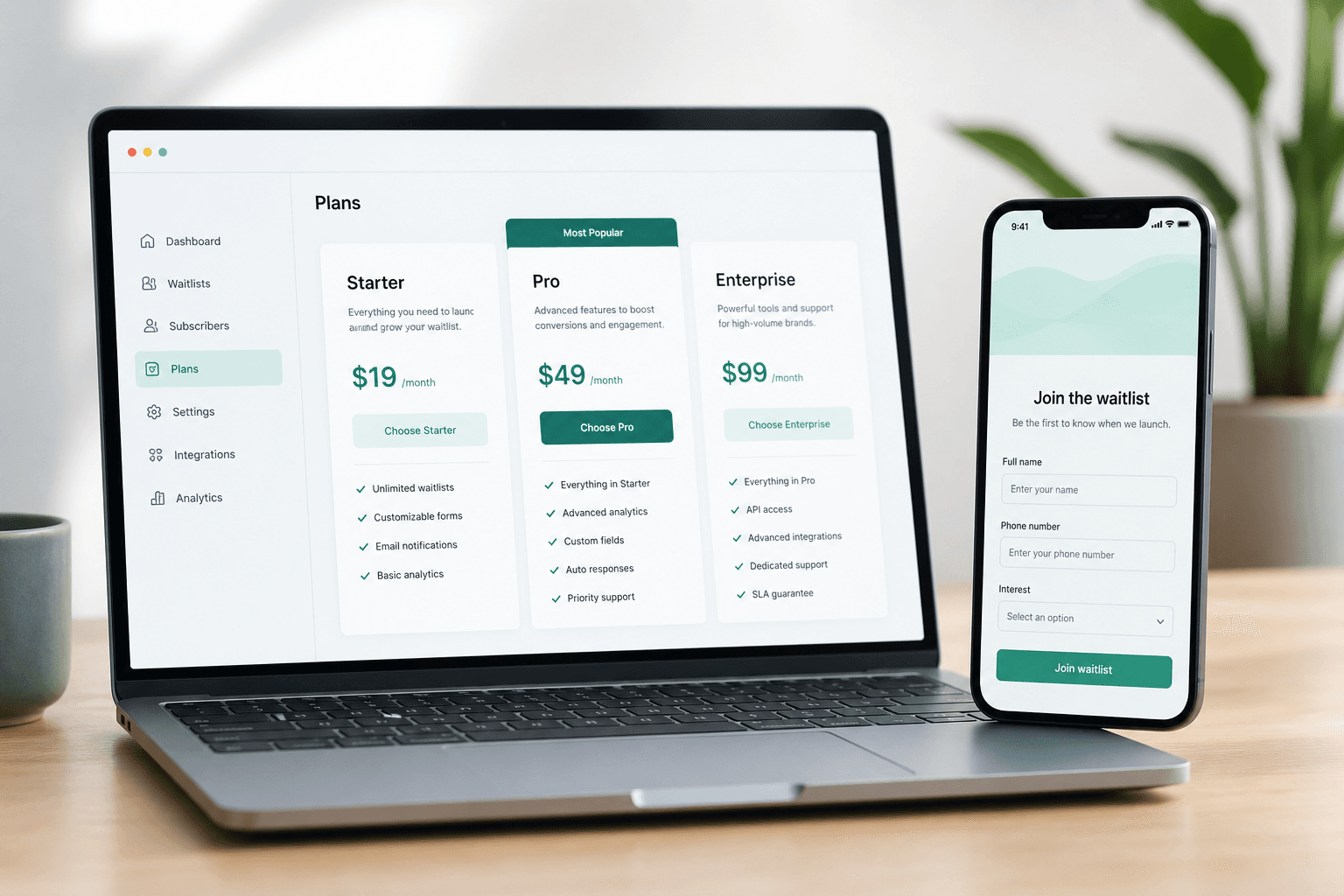
If you sell limited inventory on Shopify — a weekly drop, a workshop with fixed capacity, a collab colourway that sells through in minutes — you already know the drill. Demand shows up fast. Cancellations open slots without warning. And a plain email field rarely tells you who is waiting or what they need.
We have been shipping steadily on RWA: Waitlist Flow (Restocks) this year: Sidekick in admin, branded claim emails, CSV export, faster storefront joins. For the past few weeks, we focused on two things merchants asked for most: pricing they can forecast and signup forms that match how they actually run waitlists.
Here is what changed, and why.
Pricing that scales with intent, not surprise bills
RWA: Waitlist Flow (Restocks) now has three paid plans, each with a 7-day free trial:
| Plan | Price | Best for | |------|-------|----------| | Starter | $8.99/mo | Stores getting serious about waitlists | | Pro | $19.99/mo | Growing brands that want branding + richer signups | | Enterprise | $59.99/mo | High-volume drops and teams that need headroom |
Every plan includes:
- Unlimited waitlists — restock alerts, cancellation queues, manual claim flows, all in one app
- Unlimited notification emails — no per-email usage charges
- CSV export — pull entries for reporting, fulfilment, or your ESP
- Flat monthly pricing — predictable costs, no metered surprises at the end of the month
Customer caps are per waitlist (not across your whole store): 500 on Starter, 5,000 on Pro, and 20,000 on Enterprise. That maps cleanly to how merchants use the product: one queue per product, class, or drop, each with its own line.
Pro and Enterprise also include branded customer emails — your logo, colours, and sender name on confirmation and claim messages, so the handoff from waitlist to checkout feels like your brand, not a generic app notification.
Why we moved away from a free tier
Early on, a free plan helped merchants try waitlists with minimal friction. As the product grew, we heard a consistent pattern from stores that recovered real revenue with waitlists:
- They wanted unlimited lists without hitting artificial walls mid-launch.
- They were tired of usage-based add-ons on top of a “free” install.
- They preferred a short trial on the plan they would actually use, not a permanently capped tier that did not reflect drop-day traffic.
A 7-day trial on Starter, Pro, or Enterprise lets you run a real drop or cancellation workflow before you commit, with the same limits you will have in production. No usage charges. No guessing what next month’s bill will look like.
If you have been sitting on sold-out SKUs or manual “DM us when a size frees up” workflows, this is the lowest-friction moment to test a proper queue.
Custom fields: capture the details email alone cannot
The second big update is configurable join-form fields on Pro and Enterprise.
Every waitlist already supports email. You can also toggle name and phone as required or optional — useful when you want a lightweight signup for a product page, or richer contact data for a seminar waitlist.
On Pro and Enterprise you can add up to 10 custom fields per waitlist, with types merchants actually use:
- Text — size notes, referral code, membership ID
- Textarea — address or delivery instructions
- Select — preferred contact method, how they heard about you, session choice
- Number — party size, quantity interest, seat count
We ship sensible presets (address, country, timezone, preferred contact, and more) so you are not building forms from scratch. Field labels are yours; data lands in the waitlist entry and exports with your CSV.
Where custom fields appear today
Custom fields show on your shared waitlist link — the standalone join page you can drop in email campaigns, Instagram bio links, or post-drop follow-ups. Name and phone settings apply there and on the theme Join Waitlist button.
Custom fields on the theme popup are on the roadmap and will be shipped this month; for launch-week campaigns and event signups, the shared link is often the better surface anyway — one URL, full form, no theme edits required.
Why this matters for merchants
Generic back-in-stock tools stop at email. That is fine for a commodity SKU. It is weak when:
- You run classes or events and need timezone or organisation details before you notify the next person in line.
- You do limited drops and want to segment by how customers heard about the release.
- A cancellation opens one slot and your team needs enough context to fulfil without a round of reply-all emails.
Waitlists are only as valuable as the actionable data behind them. Custom fields close that gap without pushing everyone into a separate form builder or Google Sheet.
What did not change (and still drives conversions)
Under the new pricing, the core playbook is the same, because it is what works across fashion drops, cancellation recovery, and password-page launches:
- Capture demand when inventory hits zero or a class fills up.
- Order the queue so the next customer in line gets the claim link when a slot opens.
- Convert with a time-limited checkout link — customers have a clear window to complete the purchase.
Sidekick actions, AI-assisted waitlist drafting (beta), and the free password-page SKU checker are still part of the broader RWA: Waitlist Flow (Restocks) toolkit. This update makes the commercial and data layer match what high-intent merchants told us they needed.
Who each plan is for
Starter — You are replacing ad-hoc spreadsheets or a basic notify-me button. You want unlimited waitlists, reliable claim emails, and CSV export without thinking about usage meters.
Pro — You care about brand presentation on every touchpoint and you need custom signup fields for drops, events, or B2B-style queues. Up to 5,000 customers per waitlist covers most growing Shopify brands.
Enterprise — You are running frequent high-traffic releases or multiple concurrent queues at scale. Priority support and a 20,000-customer cap per waitlist give your team room to breathe on launch day.
Not sure which fits? Start the 7-day trial on Starter and upgrade when you need branded emails or custom fields — your waitlists come with you.
Try it on your next sold-out moment
The best waitlist is the one you have live before the next cancellation or restock — not the one you scramble to set up after the Instagram comments pile up.
Install RWA: Waitlist Flow (Restocks) on Shopify and start a 7-day trial on the plan that matches your store. If you want help mapping waitlists to your drop or event workflow, book a free 15-minute consultation — we build Shopify apps and merchant systems for a living, and we are happy to sanity-check your setup.
Simpler pricing. Richer signups. Same goal: turn sold-out traffic into recovered revenue.