Shopify profit analytics that answers the budget question ROAS cannot
TL;DR
Shopify profit analytics only starts to matter when you can see contribution margin and true net profit after COGS, fees, ads, shipping, and returns. That is why I built RWA: True Profit Analytics.
After fifteen years in ecommerce, I kept watching the same decision get made the wrong way. Merchants looked at Meta ROAS, glanced at Shopify revenue, then moved campaign budget as if those two numbers were the full story.
They are not. Shopify profit analytics only starts to matter when you can see contribution margin and true net profit after COGS, fees, ads, shipping, and returns. Without that, “winning” campaigns still drain cash, and underwater SKUs keep getting spend because the dashboard looks fine in aggregate.
That is why I built RWA: True Profit Analytics: Shopify profit analytics for people who allocate paid budget and need the answer in admin, not in a rebuild of last month’s spreadsheet.
Why ROAS-led budget allocation keeps failing
Platform ROAS is a useful signal. It is a terrible sole scoreboard for ecommerce profitability.
When campaign budget allocation ignores unit economics, a few patterns show up again and again. High-ROAS ads still lose money once product cost, shipping, and returns land. Blended revenue hides SKU-level contribution margin problems. Founders and media buyers argue from different tools. The bank statement becomes the reporting system, usually a few weeks too late.
I did not want another vanity chart. I wanted Shopify profit analytics that sits next to ads and orders and makes the profitable reallocation obvious.
What “true net profit” means in practice
RWA: True Profit Analytics is built around two views merchants actually open during the week.
The Founder view is a P&L-style waterfall from contribution margin through to net profit (CM1 to CM2 to net). That is the ecommerce profitability screen: after COGS, fees, ads, shipping, and returns, what is left?
The Ads Manager view puts POAS (profit on ad spend) next to campaign spend, so paid acquisition is judged on profit efficiency instead of ROAS screenshots alone. When merchants talk about Shopify ads profitability, this is usually the missing layer between Ads Manager and the P&L.
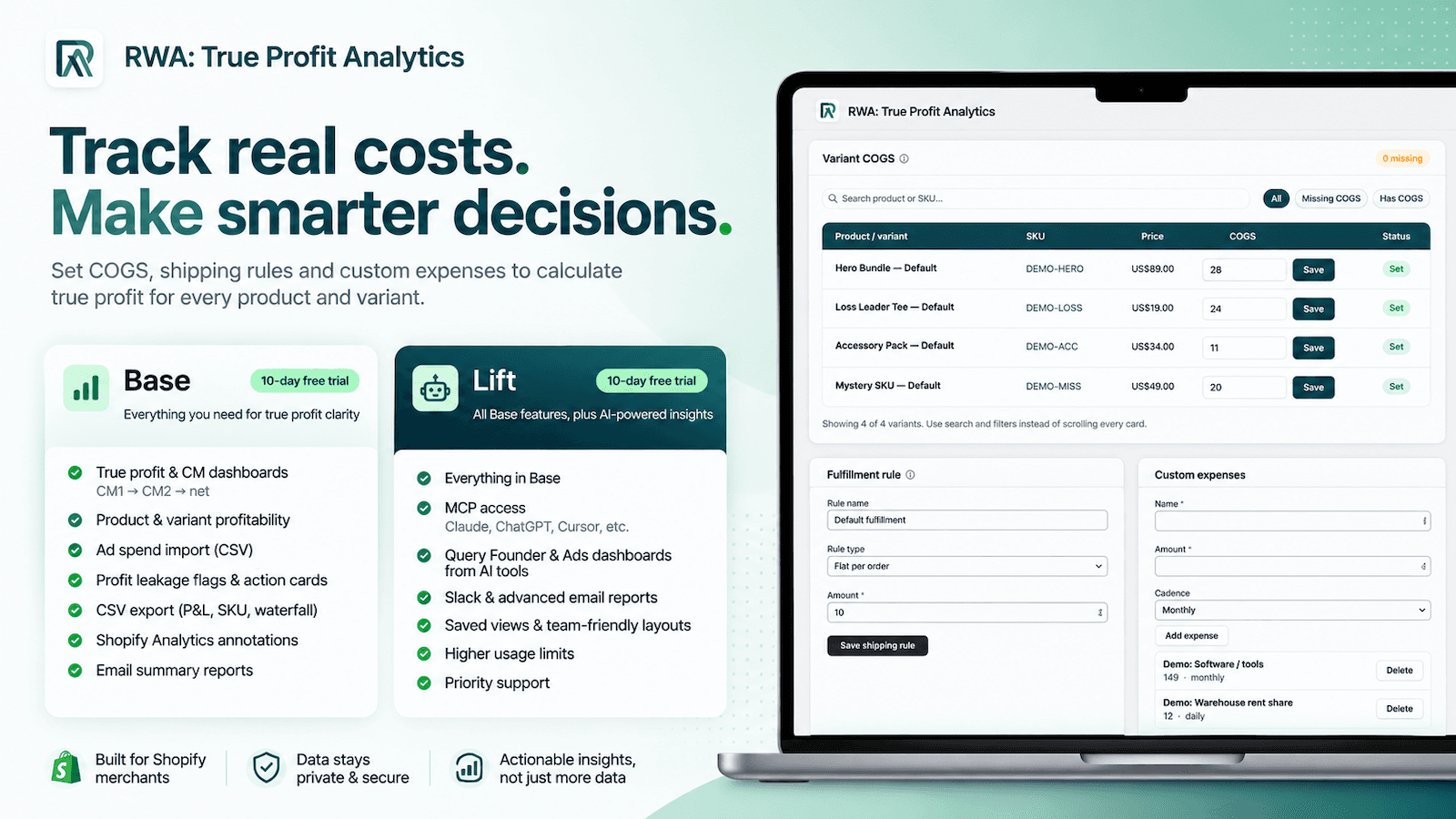
Around those views, the app lets you set COGS and other costs, import ad spend with a CSV, review product and variant profitability, catch profit leakage with action cards, annotate Shopify Analytics, and export the numbers when finance wants a file. Base is $12.49 a month. Lift is $17.99 a month if you want Claude, ChatGPT, Cursor, or other AI tools to query the same Founder and Ads metrics through MCP. Both plans include a 10-day trial.
Full listing: RWA: True Profit Analytics on the Shopify App Store.
How merchants are using Shopify profit analytics day to day
Early stores are not treating this like a BI science project. They are using it as an ops habit around campaign budget and SKU margin.
Some import Meta spend weekly, then compare POAS and campaign efficiency against real costs before they scale a winner. Others open the Founder waterfall before locking next week’s paid budget, so contribution margin is part of the conversation instead of an afterthought. A third pattern is SKU leak hunting: find products that still attract spend while contribution margin is underwater, then cut creative or fix pricing before the next flight.
On Lift, teams that already live in Claude, ChatGPT, or Cursor query the same profit metrics without rebuilding the dashboard in a chat window.
The early App Store feedback matches that intent. One merchant said they had run Meta ads for years without visibility on campaign profitability, and that POAS and related metrics finally closed the gap. Another said day-to-day ad management and insights got clearer after install. That is the job of Shopify profit analytics done properly: fewer uninformed budget calls.
Who this is for (and who already has enough tools)
If you only need top-line revenue and sessions, Shopify Analytics already covers you. RWA: True Profit Analytics is for Shopify merchants running paid acquisition who know ROAS is incomplete; founders who want ecommerce profitability without waiting on a spreadsheet; and agencies or freelancers who already speak MER and contribution margin and want clients to open the same numbers in-admin.
In short: if campaign budget allocation still happens from Ads Manager alone, you are guessing with confidence.
Try the profit view on a campaign you already “know” is winning
Install RWA: True Profit Analytics, run the trial, import a recent ad spend CSV, and open one campaign you already trust. If POAS and contribution margin agree with your gut, you get confirmation. If they do not, you just found the budget conversation you were missing.